Moving car leasing online, end to end.
IEC's internal car-leasing process ran on an outdated registration form that didn't let employees actually see what they were choosing. I designed the replacement: a self-service platform where employees could browse a real catalog, compare vehicles, and place an order from home — and where the fleet officer's side of that process became easier to manage.
A computer form, and then a trip to the fleet officer's office.
IEC leases vehicles internally to a large number of employees. The existing system had a computerized registration form where the employee filled in their own details and the drivers they authorized — but the form didn't show what cars were available, and couldn't collect the rest of what the order needed. The rest — health declarations, consents, signed paperwork — happened in person at the fleet officer's office when the employee came to pick up the vehicle.
The order moved home.
The new process starts with an email: when the employee's ordering window opens, they get a link. From that link they browse the catalog, choose a car, fill in a small number of fields, and submit the order — at their own desk.
The forms that used to happen in person didn't disappear — they moved into a second phase that begins once the car arrives at IEC. The trip to the fleet officer's office stopped being where the order was assembled; at most, it became where the keys were handed over.
Remote, inside IEC's design system, alongside a microcopy partner.
The client was in Haifa; I did the whole project from my desk. It sat on senior leadership's radar — I presented to them at milestones, which kept the scope and tone tight. I designed inside IEC's own design system, and worked alongside a microcopy designer whose whole craft was the words on the screen. Much of what made the flows feel calm came out of that collaboration.
Three roles, three vehicle types.
Three roles can initiate an order: an employee, a department manager, or a technician. The manager is the only role with two choices — ordering a personal lease for themselves, or ordering a department car for their team. Everyone else has exactly one path in.
A catalog, not just a form.
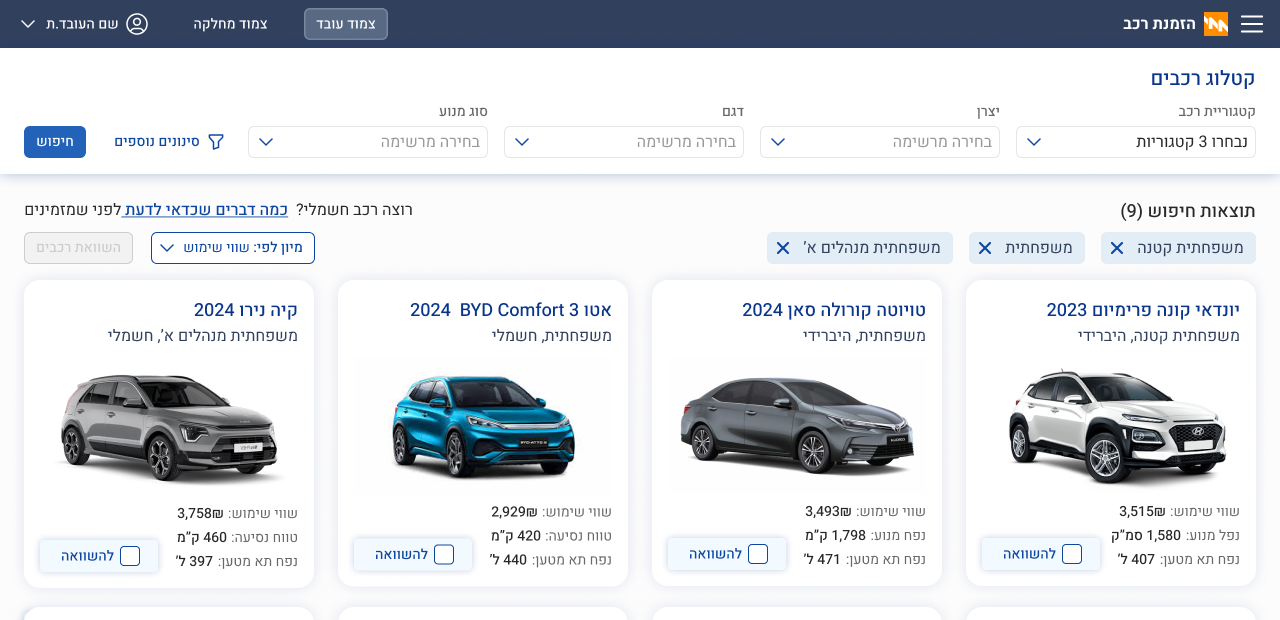
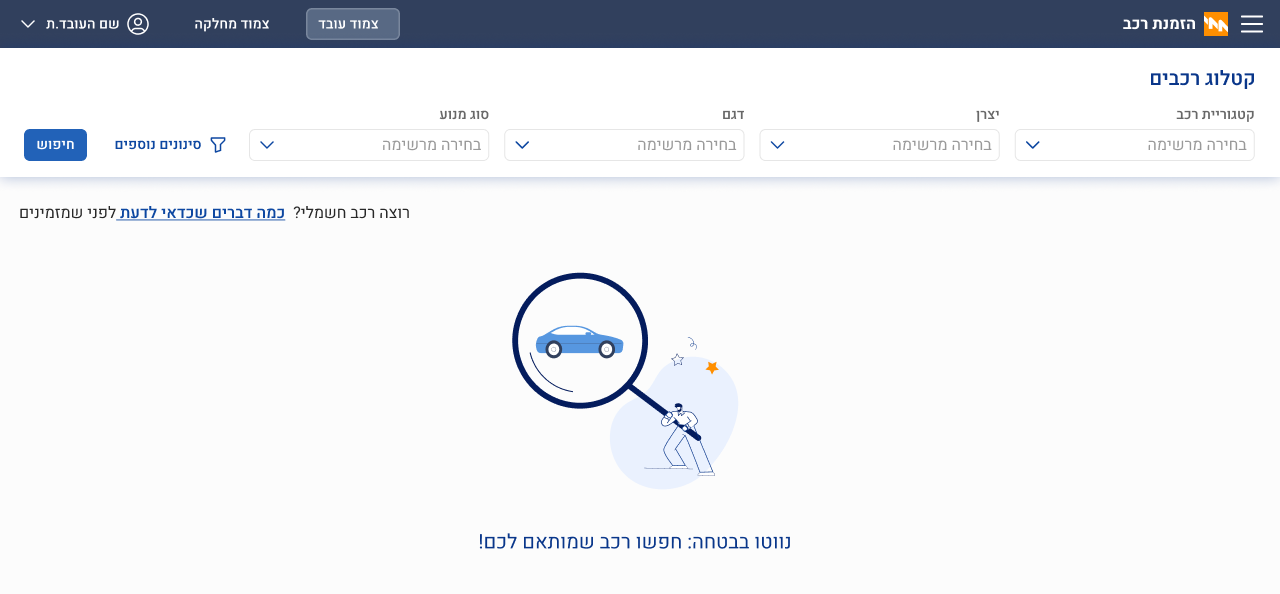
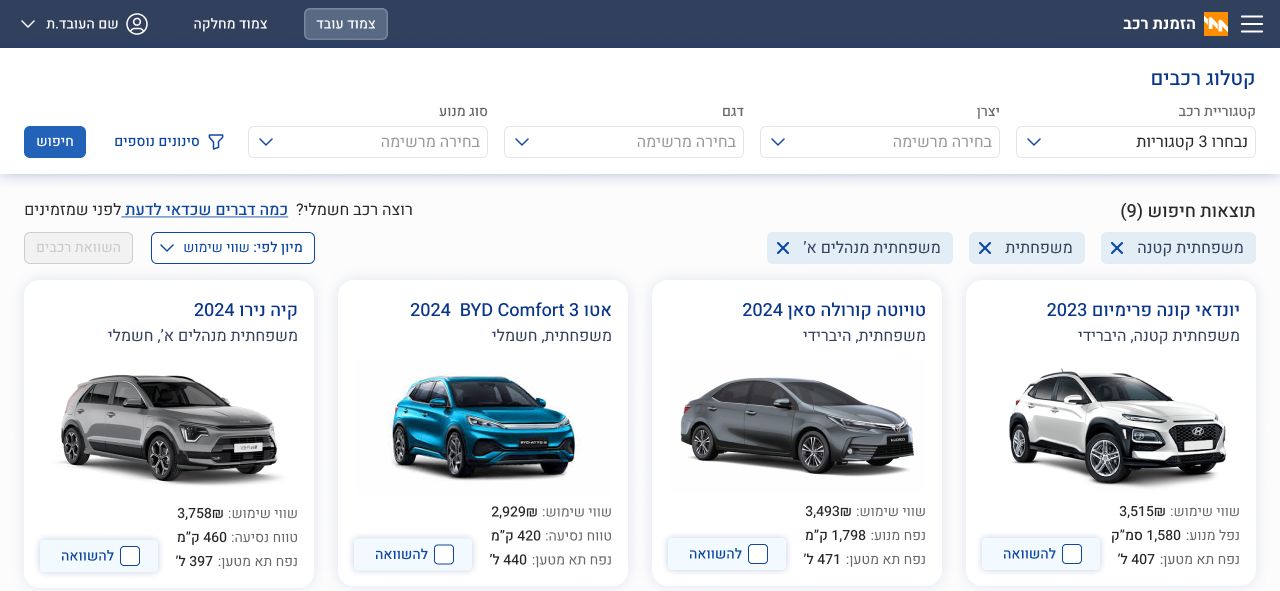
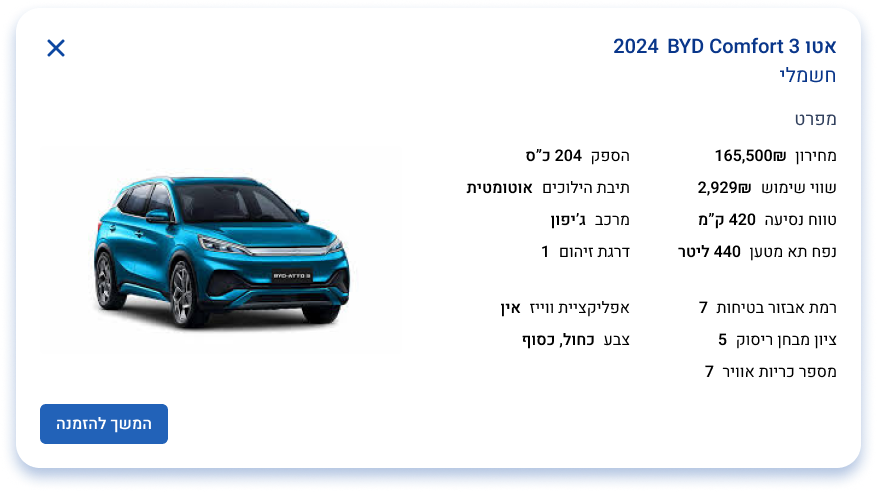
The old form had no catalog. It expected the employee to already know which car they were asking for. The new one made choosing a first-class stage — a place to browse, filter, and compare before committing.
Filters mapped to how employees described what they wanted — car category, manufacturer, model, engine type. Results updated in place, and every card surfaced what employees actually used to narrow down: monthly cost, fuel type, range.
Comparison was built in. From the results grid, checkboxes let employees mark the cars they were weighing; a Compare vehicles action then opened a dedicated screen with the vehicles as columns and the specs as rows.
The order shouldn't ask what the system can already answer.
The personal-details step arrived pre-populated from SAP — name, ID, address, contact, role. The employee confirmed what was there and moved on. If a detail was out of date, a link sent them to HR to fix it at the source.
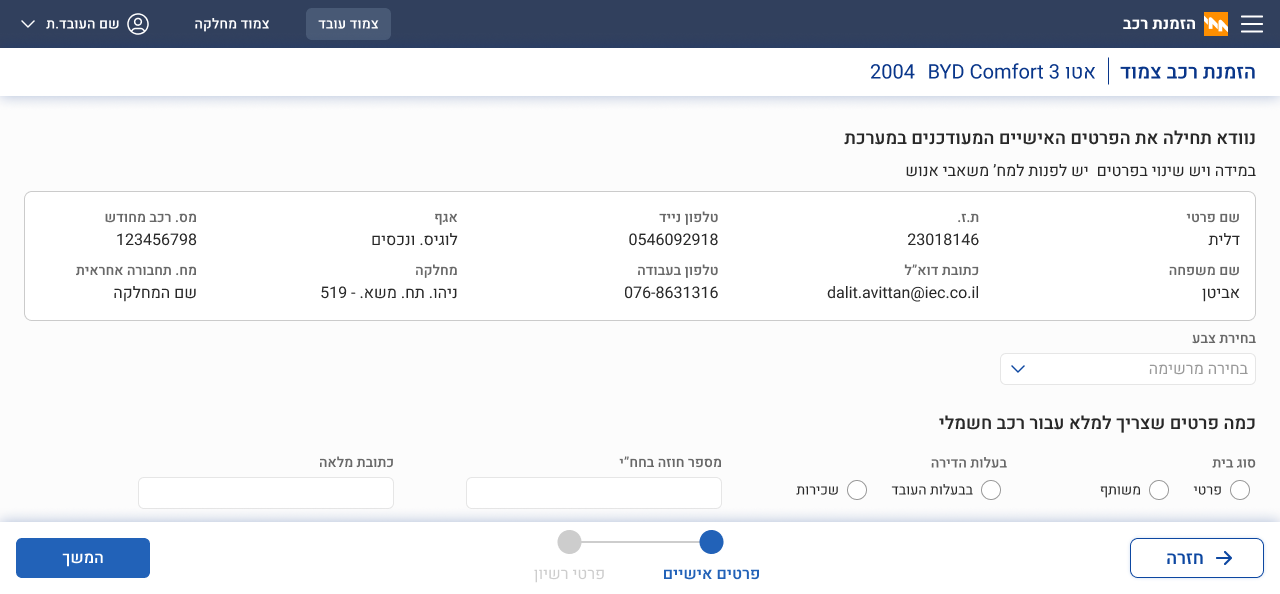
The paperwork moved to where it could actually mean something.
When the car arrived at IEC, its paperwork appeared attached to the employee's existing order. A single email went out; the employee reopened the same order page they had submitted from, and signed the forms in context. Only once signing was done did the fleet officer close the order and invite them to pick up the keys.
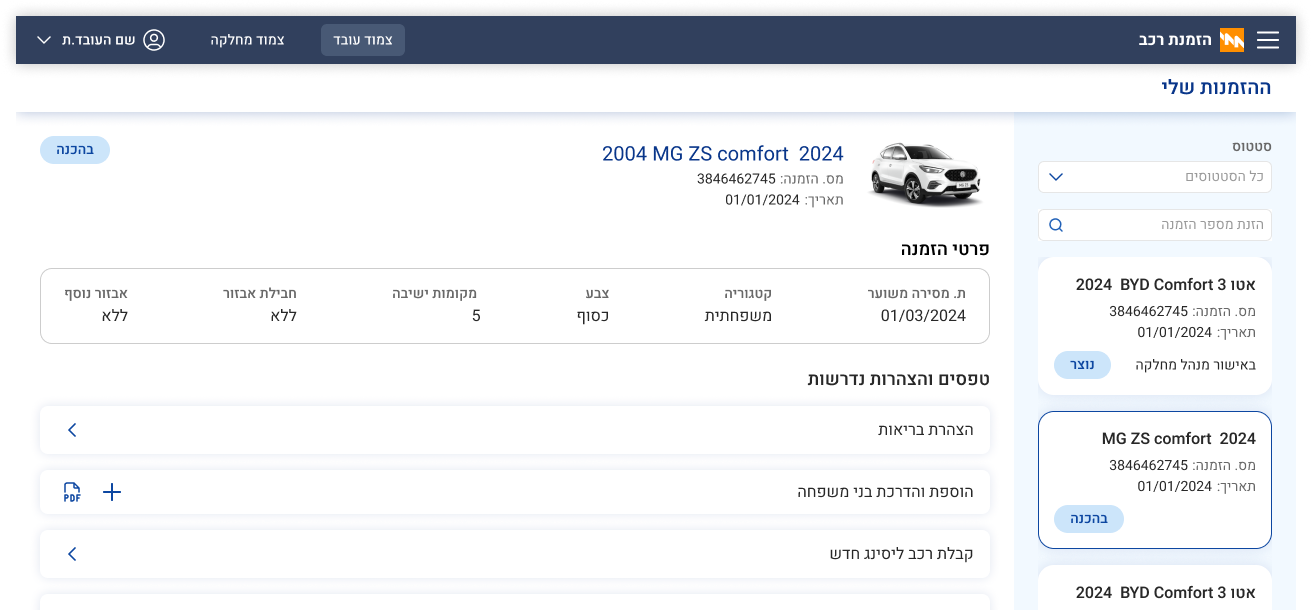
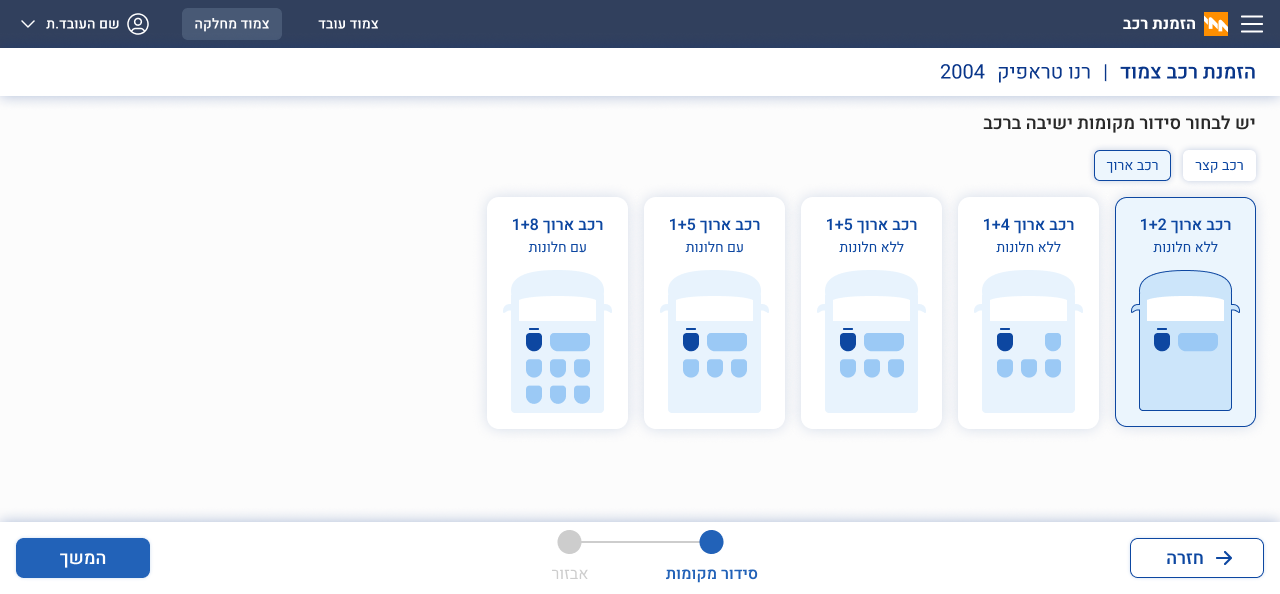
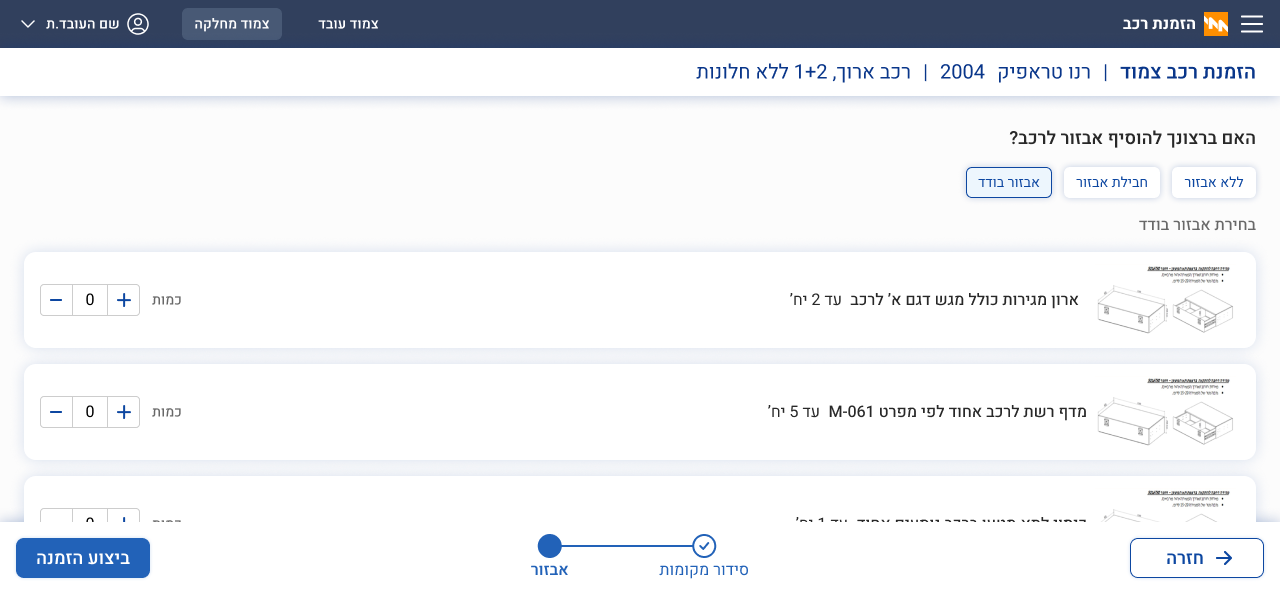
When the car is a tool, you don't pick a colour — you pick a configuration.
Technicians don't choose a colour. Their vehicle is a work tool; what matters is how it's set up. So after picking the model, the technician walks through two steps specific to their branch: seat arrangement, then equipment — selectable item by item, or applied as a pre-defined package.
I stayed through development, but didn't see rollout with my own eyes.
I stayed close to the dev team through implementation — edge cases, adaptive states, validation, copy for every failure mode. I didn't stay past the handoff into production. What came back was a phone call: the reception was enthusiastic, the clients were satisfied. Worth naming honestly — I'm describing a handoff I completed carefully, not a rollout I observed.